For painters, power washers, plumbers, electricians, handymen, and contractors
From the field report to an approved PO, no paper
Your crew fills out the report on their phone with photos. The office gets it instantly, approves the PO, invoices and gets paid. Estimates, reports, invoices and payments in one place.
No card needed. In English and Spanish.
- From the phone
- Before and after photos
- PO approval
- Estimates and invoices
- Upload the paper report
- English and Spanish
Work report
- Employee
- Nicolás P.
- Date
- 8/18
- Property
- Tiffany Oaks
- Contractor price
- $632,83
Siding repair in 2 areas. Moisture damage, painted after the repair.
Before → With Jobrik
The same report your crew already uses, now on the phone
We copy your company's paper form: service details, type of work, areas, price, and notes. Your team recognizes it on day one.
Before
- Reports show up days later
- Photos lost in WhatsApp
- Hand math and PO mistakes
- The office chasing every employee
With Jobrik
- The report arrives right away
- Photos stay attached to the job
- Totals add up on their own
- Everything is saved and searchable
How it works
This easy, in three steps
The employee reports from the job
They open Jobrik on their phone, check off what they did, take before and after photos, and enter the price. It takes a couple of minutes.
The office gets the report instantly
An email arrives with the unit, the work, the price, and a link to the photos. It's also saved in the reports list.
Approve the PO and invoice
Enter the approved price and the employee gets a notice. Whenever you want, group approved POs into one invoice and send it to the client.
One report, from the ladder to the office
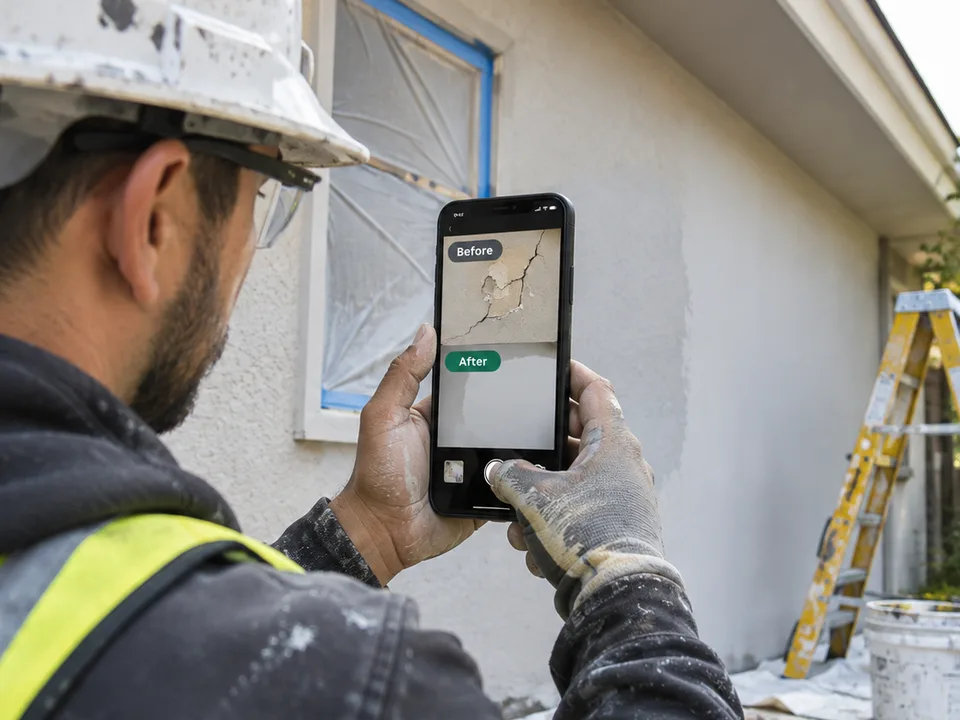
In the field
The painter finishes the job and reports it on the spot, with photos.

With the client
They show the property manager what was done, right on the phone.

At the office
The office sees the report, approves the PO, and moves on.
Industries
Built for crews that work out in the field
If your people finish a job, take photos and someone at the office approves it and bills it, Jobrik is for you.
Painting
Interior, exterior and touch-ups in communities and buildings.
Power washing
Houses, roofs, sidewalks and parking lots.
Roofing
Repairs, leaks, skylights and replacements.
Plumbing
Leaks, pipes, water heaters and drains.
Electrical
Installs, repairs and inspections.
HVAC
Service, maintenance and equipment replacement.
Handyman & maintenance
Apartment make-readies and work orders.
Drywall & stucco
Wall repairs, cracks and finishes.
Flooring & carpentry
Floors, cabinets, doors and woodwork.
Landscaping
Lawn care, trimming, irrigation and common areas.
Commercial cleaning
Offices, vacant units and post-construction.
General contractors
Remodels and multi-trade projects.
Before / After
Before and after photos that tell the story
Every report keeps its photos. When the property manager asks what was done, the answer is right there. Drag to compare.


Dashboard
Know how much work got done, where, and by whom
The dashboard totals reports by month, community, employee, and type of work. You see what's waiting on a PO without opening a spreadsheet.
- Totals by month and community
- Pending POs at a glance
- Weekly or monthly insights in PDF and Excel
- Every report with its reference, e.g. BLG-0012
Estimates, invoices and books
From estimate to invoice and your books, no other software
Quote the job, the client views it from a link, turn it into an invoice and record the payment. With your expenses and payroll, you know what you make each month.
- Price list to quote in seconds (sq ft, hour, room…)
- Invoices from approved POs, with your own numbering
- Configurable tax (sales tax, IVU or 0%)
- Receivables: overdue, collected this month and aging
- Expenses with a receipt photo and hourly payroll
- Monthly profit and loss and a balance sheet, in Excel for your accountant
- Exterior paint, 2 coats1,200 sq ft × $1.25$1,500
- Siding repair6 hour × $65$390
- Doors and trims4 room × $85$340
Sample data
- Quote with qty × price
- The client views it on their phone
- Invoice it all or a deposit
- Record the payment
Features
Control for the office, simple for the crew
Job calendar
A manager or supervisor assigns jobs with due dates. Email alerts plus a WhatsApp button; the crew taps On my way, Started and Done.
Roles and permissions your way
Owner, admin, manager, supervisor and employee. You decide who sees photos, approves POs, invoices or changes settings.
Closed mode for employees
Employees only see New report. It installs like an app, with no address bar, and they can't go back or forward.
Upload the paper report
Take a photo or upload the PDF of the handwritten report and AI fills out the form for you.
Notes to the employee
The office writes a note on the report and the employee gets it by email. They answer by replying.
Print with before and after
Every report prints or saves as PDF with your logo and the before and after photos side by side.
Shared phone
Lock a tablet or phone to New report for the crew; only your password unlocks it.
Your account, your email
Everyone can change their own email and password. Replies to emails reach the office.
ES · EN
Your crew speaks Spanish. Your client, English. Jobrik speaks both.
Each person picks their language. Emails go out in your company's language.
Who it's for
Built for every trade
Painters
Touch-ups, vacant units, interiors, exteriors, siding, and stucco.
Plumbers
Leaks, clogs, water heaters, faucets, and toilets, with before photos.
Electricians
Outlets, switches, lighting, ceiling fans, and panels, with a clear price.
Handymen
Lots of small jobs in one day: each one gets its own report.
Carpenters and drywall
Walls, ceilings, doors, trim, cabinets, and floors.
Power washing
Houses, roofs, driveways, decks, buildings, and parking lots, with before and after photos.
Roofing and exterior
Shingles, flat roofs, metal, fascia, soffit, gutters, and siding.
Maintenance crews
Apartments, houses, and businesses; every report records the property, unit, and supervisor.
Pricing
Simple pricing, per company
No per-user fees. 14 days free, no card needed.
Crew
Up to 5 users
$49/mo
- Unlimited reports with photos
- 5 GB for photos
- Email to the office
- PO approval
- Job calendar
- Dashboard with charts
Pro
Up to 15 users
$99/mo
- Everything in Crew
- 10 GB for photos
- Estimates, invoices and payments
- Expenses, payroll and balance sheet
- Custom roles and permissions
- Your logo and brand color
- Insights and Excel
Business
Unlimited users
$199/mo
- Everything in Pro
- 25 GB for photos
- Unlimited users
- Multiple companies or divisions
- WhatsApp support
Photo storage: Crew 5 GB, Pro 10 GB, Business 25 GB. Going over costs $25/month for each extra block of the same size; we email you at 80%. Terms
Frequently asked questions
What is Jobrik?
Jobrik is software for contractors in every trade (painters, power washers, plumbers, electricians, handymen, carpenters, roofers, and maintenance crews) that turns the paper work report into a phone form with photos. The office gets every report by email, approves the PO (purchase order) price, and sees totals on a dashboard.
How much does Jobrik cost?
There are three plans per company, with no per-user fees: Crew at $49 per month (up to 5 users), Pro at $99 per month (up to 15 users), and Business at $199 per month (unlimited users). Yearly billing includes 2 months free. Each plan includes photo storage: 5 GB on Crew, 10 GB on Pro and 25 GB on Business; going over costs $25/month for each extra block of the same size, with a heads-up first. The free trial lasts 14 days and needs no card.
Does it work in English and Spanish?
Yes. Each person picks their language, and emails go out in the language the company sets.
Do I need to install an app?
No. Jobrik runs in the phone's browser and can be added to the home screen to open like an app.
How is a PO approved in Jobrik?
The employee submits the report with the contractor price (labor plus materials). The owner or an admin enters the approved price, and the employee gets an email.
Who can see the reports?
Each company only sees its own data. Employees can only fill out New report. The owner decides what admins, managers and supervisors can see and do (photos, PO approval, invoices, insights, team and settings). Photos are stored privately.
Does Jobrik do estimates, invoices and bookkeeping?
Yes, on the Pro and Business plans. You build estimates with quantity × price and a price list, send them by email or link, and once the client accepts you turn them into a full invoice or a deposit. You can also invoice approved POs, record payments and see your receivables. You also keep your expenses with receipt photos and hourly payroll, and see monthly profit and loss and a balance sheet. For your accountant, download it all in Excel. Jobrik doesn't calculate or pay payroll taxes.
Can I limit what employees see on their phone?
Yes. Employees are in closed mode: they only see New report, My jobs and My account, can't go back or forward, and if they add Jobrik to the home screen it opens like an app with no address bar. For a phone or tablet the crew shares, a manager locks it to New report and only their password unlocks it.
Does Jobrik have a calendar to plan jobs?
Yes, on every plan. A manager or supervisor creates the job on the calendar, assigns it to one or more people with a start date and a due date, and drags it to another day to move it. Each person gets an email, and one button sends the heads-up by WhatsApp. In My jobs the crew taps On my way, Started and Done, and starts the job's report already filled in. The owner and admin see progress and what's overdue, and get an email when a job passes its due date.
Can I upload reports that are already on paper?
Yes. Take a photo or upload the PDF of the handwritten report; it's stored with the report and AI fills out the form with what it reads so you only review it.
Try Jobrik on your next job
Create your account, invite your crew, and send the first report today.
No card needed. In English and Spanish.